Sales tool
Kestrel
Sales tracking for service businesses: every lead, deal and follow-up in one place.
- Type
- Sales tool
- Platform
- Web app
- What we did
- Product design, Visual identity, Building the app, Reports and numbers
- Origin
- In-house product
- Year
- 2026
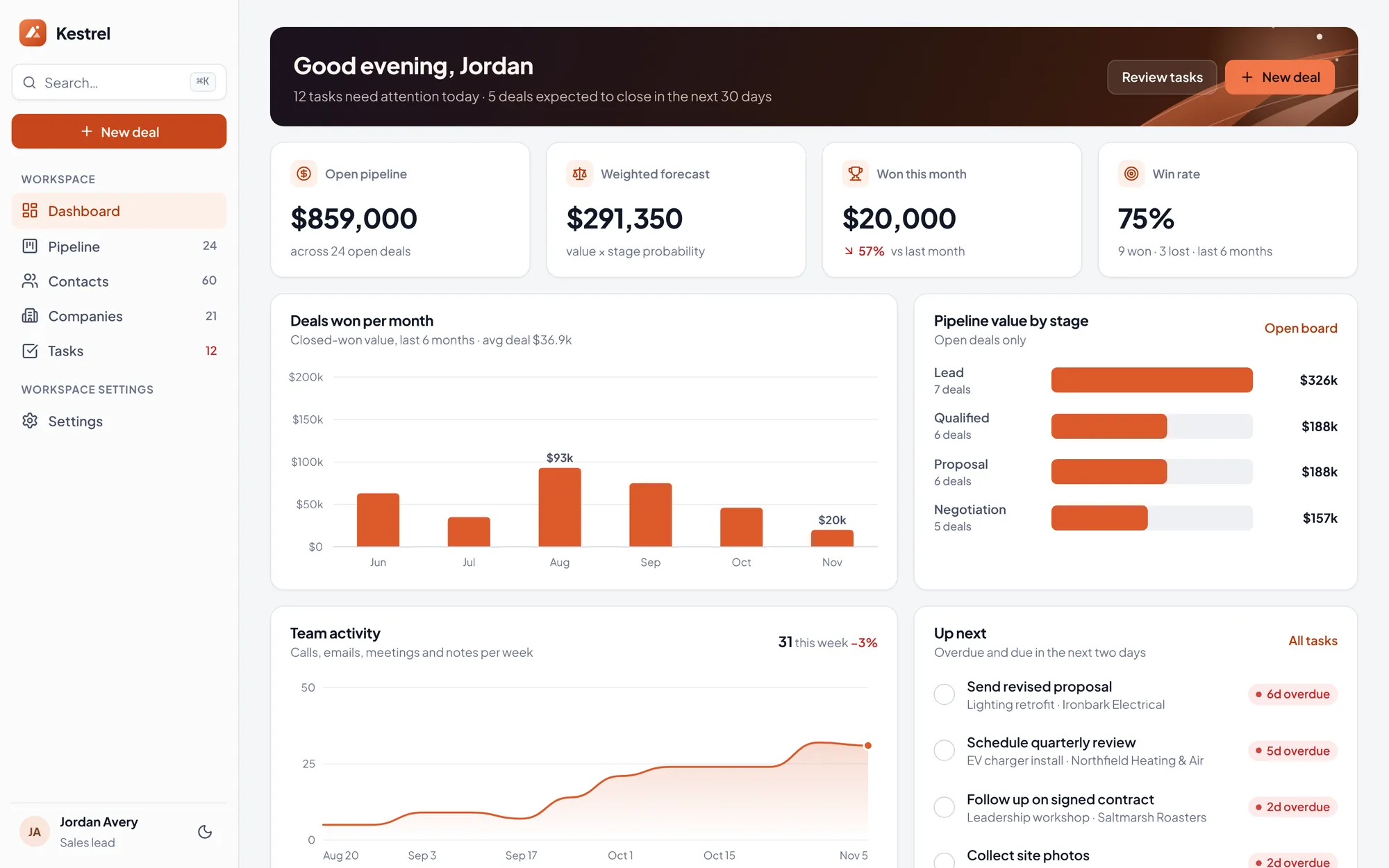
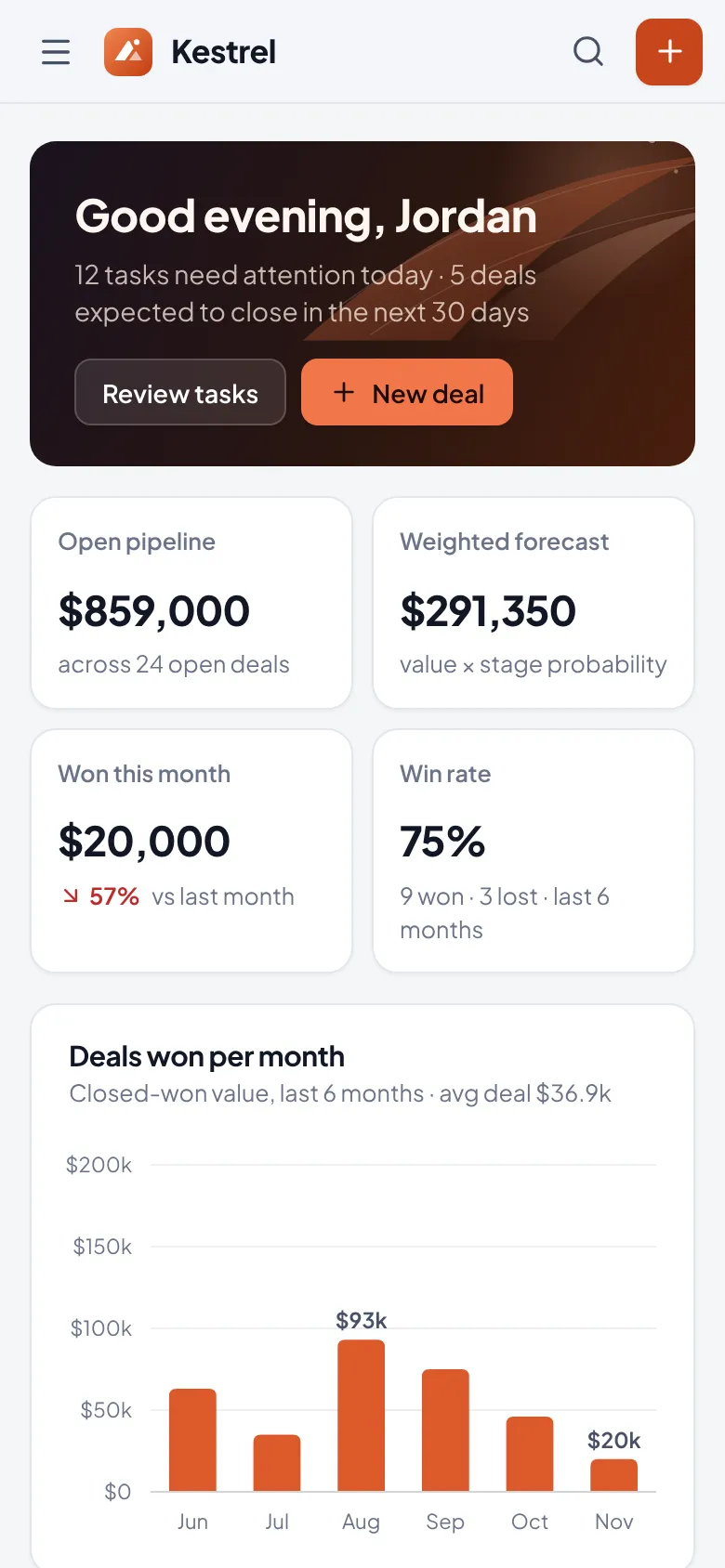
Kestrel is a CRM for agencies, consultancies and installers: a pipeline you can move with your hands, a dashboard that answers "how are we doing", and contact history that is always one keystroke away.
01 The brief
Most small service teams outgrow spreadsheets but find enterprise CRMs heavy. Our brief was a CRM that a five-person team could adopt in an afternoon: fast to navigate, opinionated about the pipeline, and honest about what needs doing today.
02 Our approach
We designed around three daily moments: the morning check of tasks, the weekly pipeline review and the call you need context for right now. Each has a dedicated view, and a command palette ties them together.
03 Key decisions
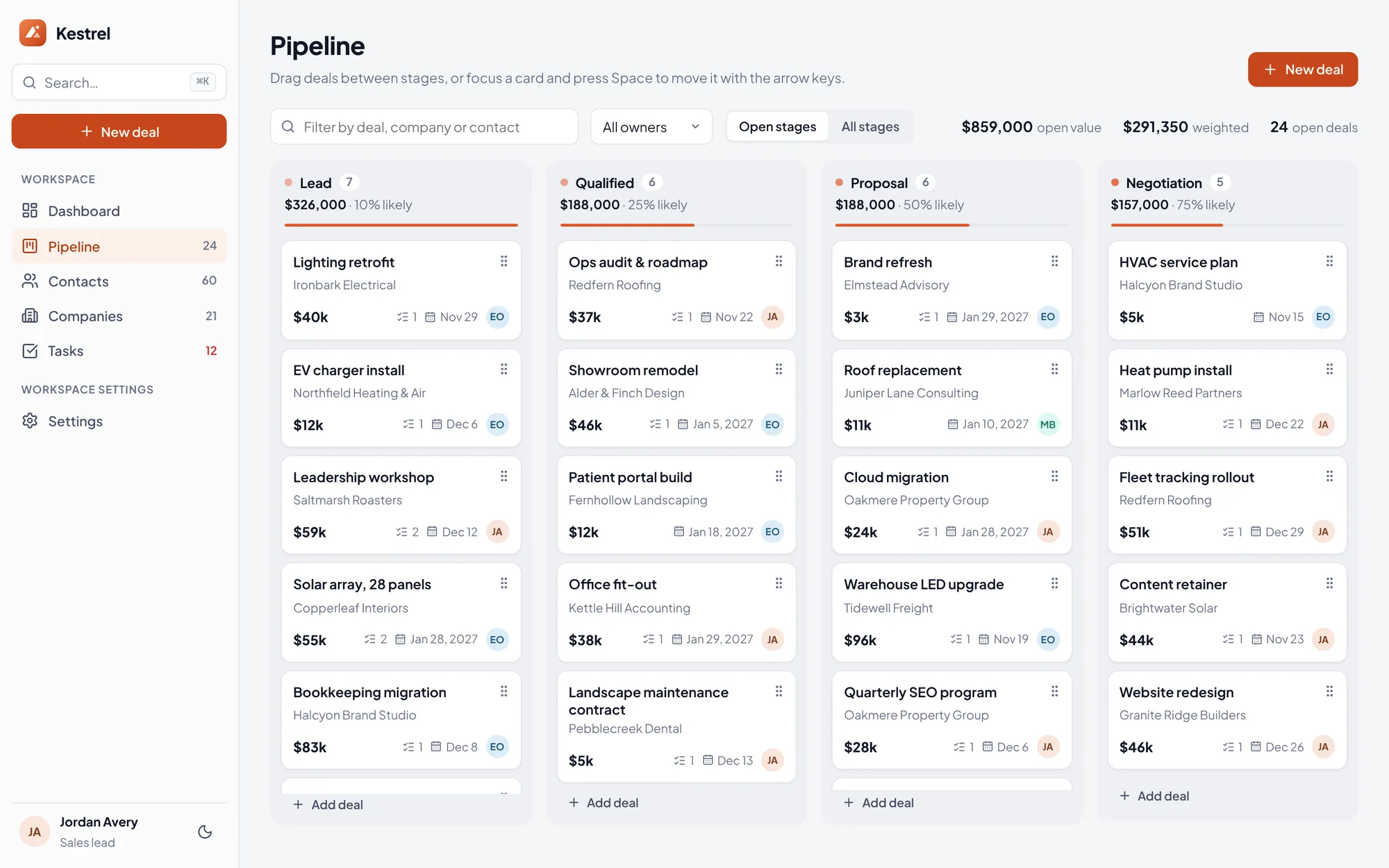
A board you can move without a mouse
Drag-and-drop is the heart of a pipeline, so it had to work for everyone. Space picks a card up, arrows choose the stage, Space drops it, and every move is announced to screen readers.
Numbers you can trust
Every KPI and chart is computed from the records on screen: open pipeline, weighted forecast, win rate. Change a deal and the dashboard changes with it.
Charts you can read at a glance
We drew the charts ourselves so they stay fast and calm: one highlight colour, quiet lines, labels right on the numbers that matter and details when you hover.
One-tap undo
Bulk deletes and task completions can be undone for a few seconds. It is faster for confident users and safer for everyone else.
What it does
Features, fully working
- 01
Drag-and-drop pipeline
Move deals between stages with the mouse or the keyboard, with stage totals updating live.
- 02
Live dashboard
Pipeline value, won deals and activity charts computed from your own data.
- 03
Find anything in a second
One shortcut opens a search box to jump anywhere, add a deal or contact, or find any deal, contact and company.
- 04
Contacts & companies
Sortable, filterable tables with bulk selection and CSV export.
- 05
Timeline for every relationship
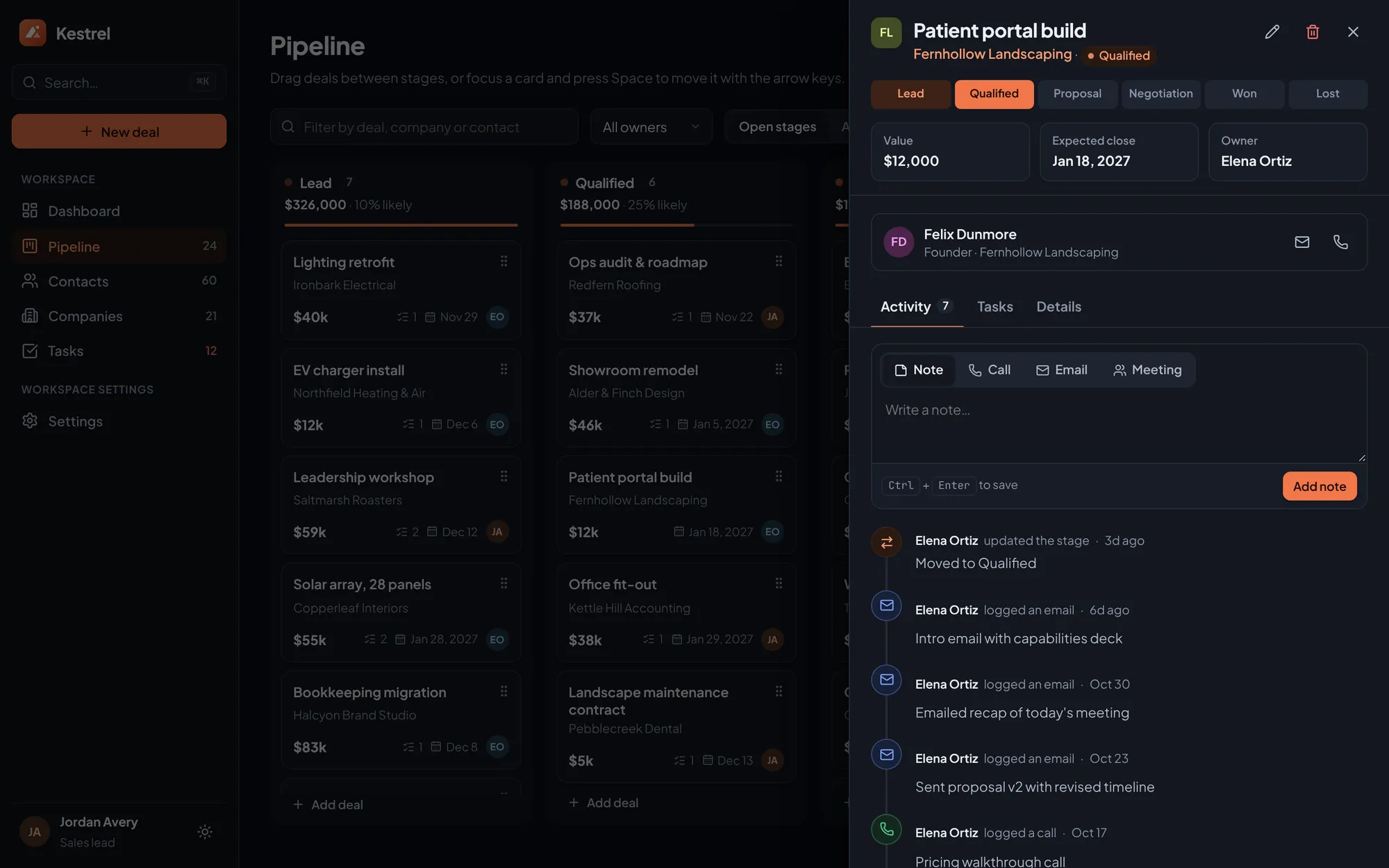
Notes, calls, emails and tasks in a single chronological history.
- 06
Configurable pipeline
Rename, add and reorder stages with their win probabilities. Deals in a removed stage move automatically.
- 07
Tasks that surface themselves
Today, upcoming, overdue and completed views, with overdue counts on the sidebar so nothing slips.
The look
A swept-wing mark in a rust-to-ember gradient, a nod to the bird's chestnut plumage. Cool neutral greys carry the interface so the accent can mean "act here". Light, dark and system themes, with tabular figures wherever money appears.
#C8461B#F2774A#F5F6F8#0B0E14#16794APlus Jakarta Sans for the interface, with tight headings and tabular numerals. JetBrains Mono only for keyboard hints.
→ Where it could go next
- Team accounts, with each person seeing only what they need
- Two-way email and calendar sync so activity logs itself
- Website forms that add new leads automatically, and links to your other tools
- Phone reminders for tasks due today
Try Kestrel yourself
It is a real, working product, running right here. Click around, and anything you change is saved in your browser.
Open full screen ↗