Automation
Loomflow
Draw a process once and let it run: new orders become invoices, rows and team messages automatically.
- Type
- Automation
- Platform
- Web app
- What we did
- Product strategy, Interaction design, The drawing board, Running the automations
- Origin
- In-house product
- Year
- 2026
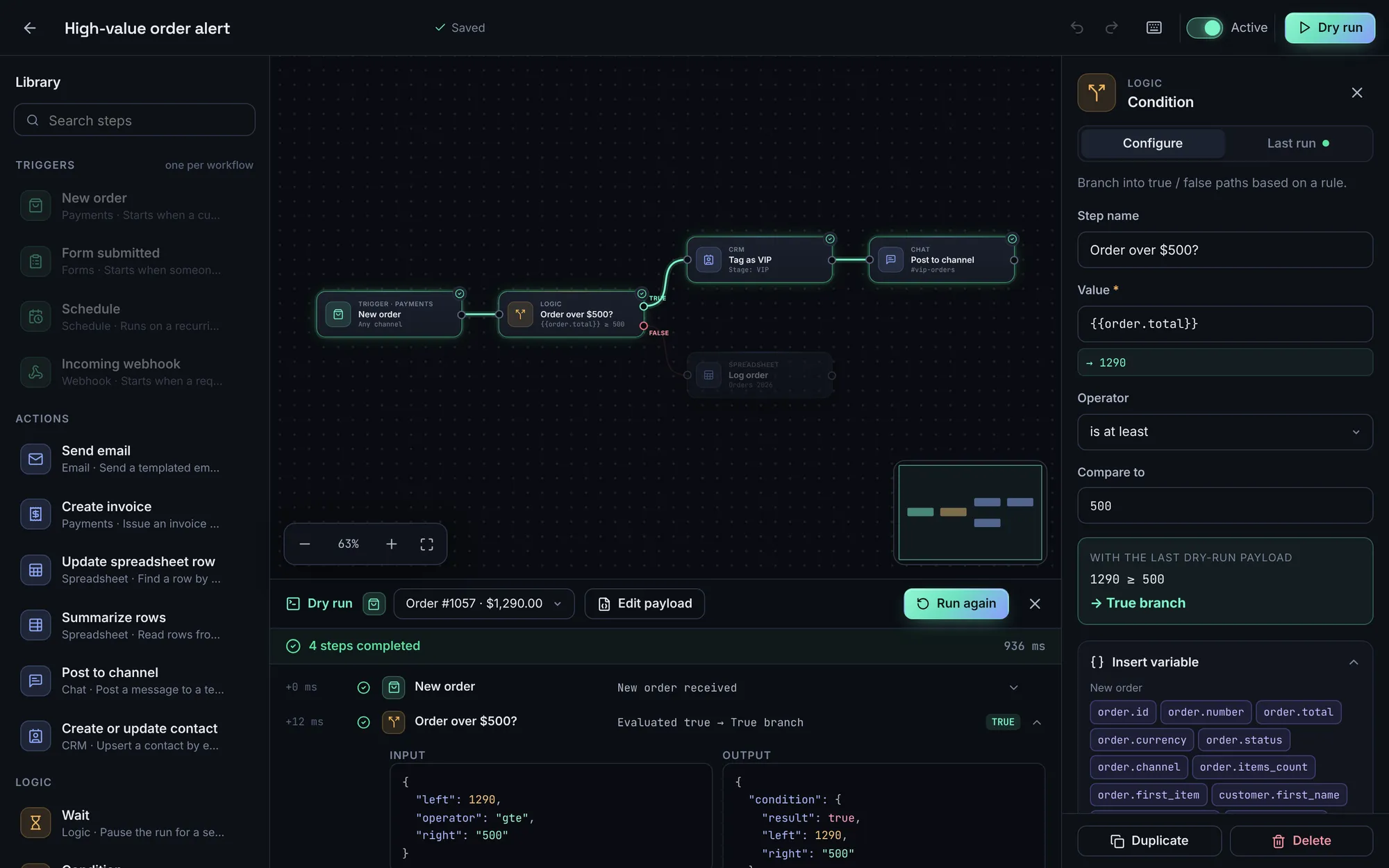
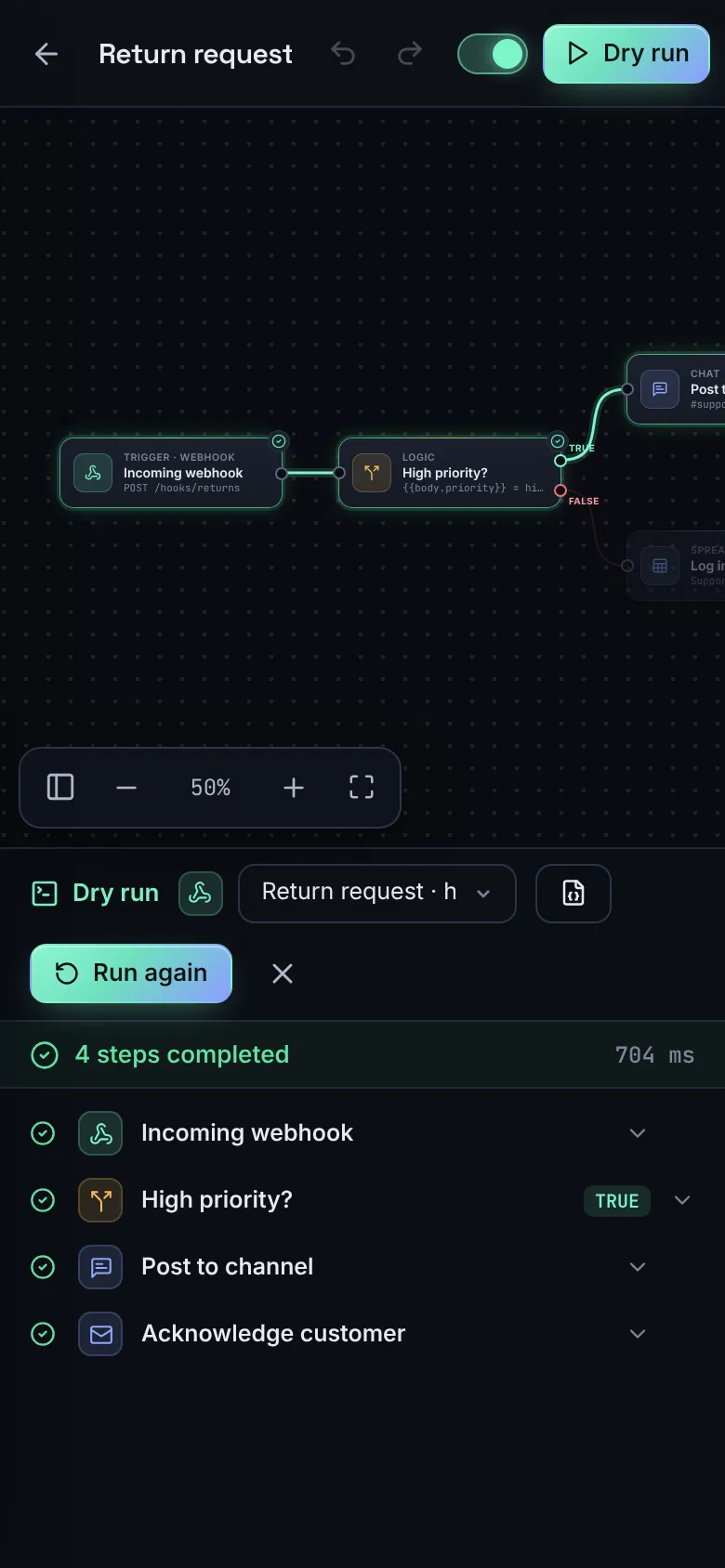
Loomflow lets an operations team draw a process once and let it run: a new order becomes an invoice, a spreadsheet row and a message to the team, with branches for the cases that need a human.
01 The brief
Repetitive admin is where small companies lose the most hours. We wanted to build an automation tool that shows exactly what it will do before it does it, so that non-developers can trust it.
02 Our approach
Everything in Loomflow is visible: the drawing is the process. Test runs go through it step by step and light up the path taken, showing what went in and out of every step.
03 Key decisions
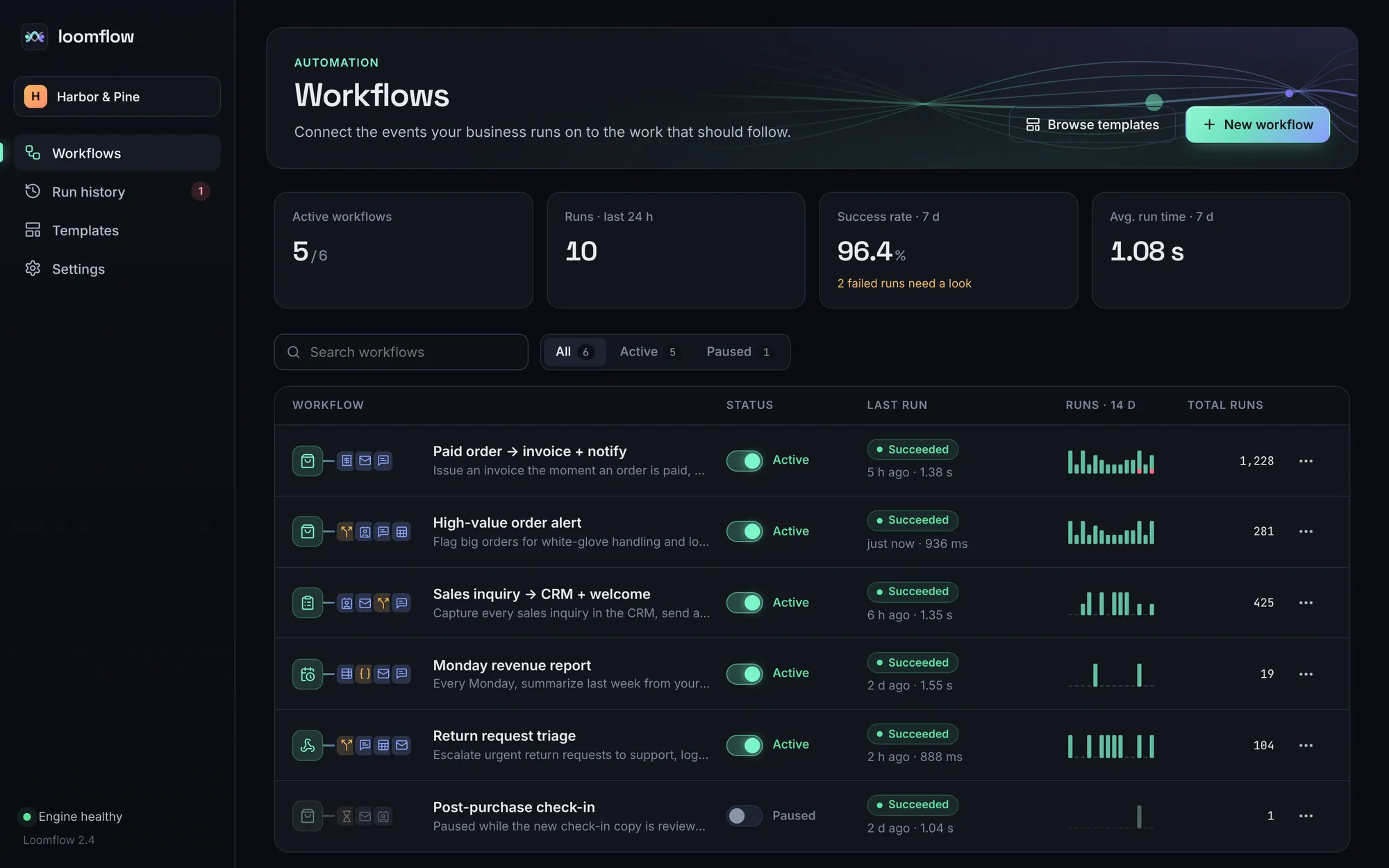
What you see is what runs
Nothing is hidden in settings. The drawing is exactly what happens, which is why people who are not developers can trust it.
Problems shown where they happen
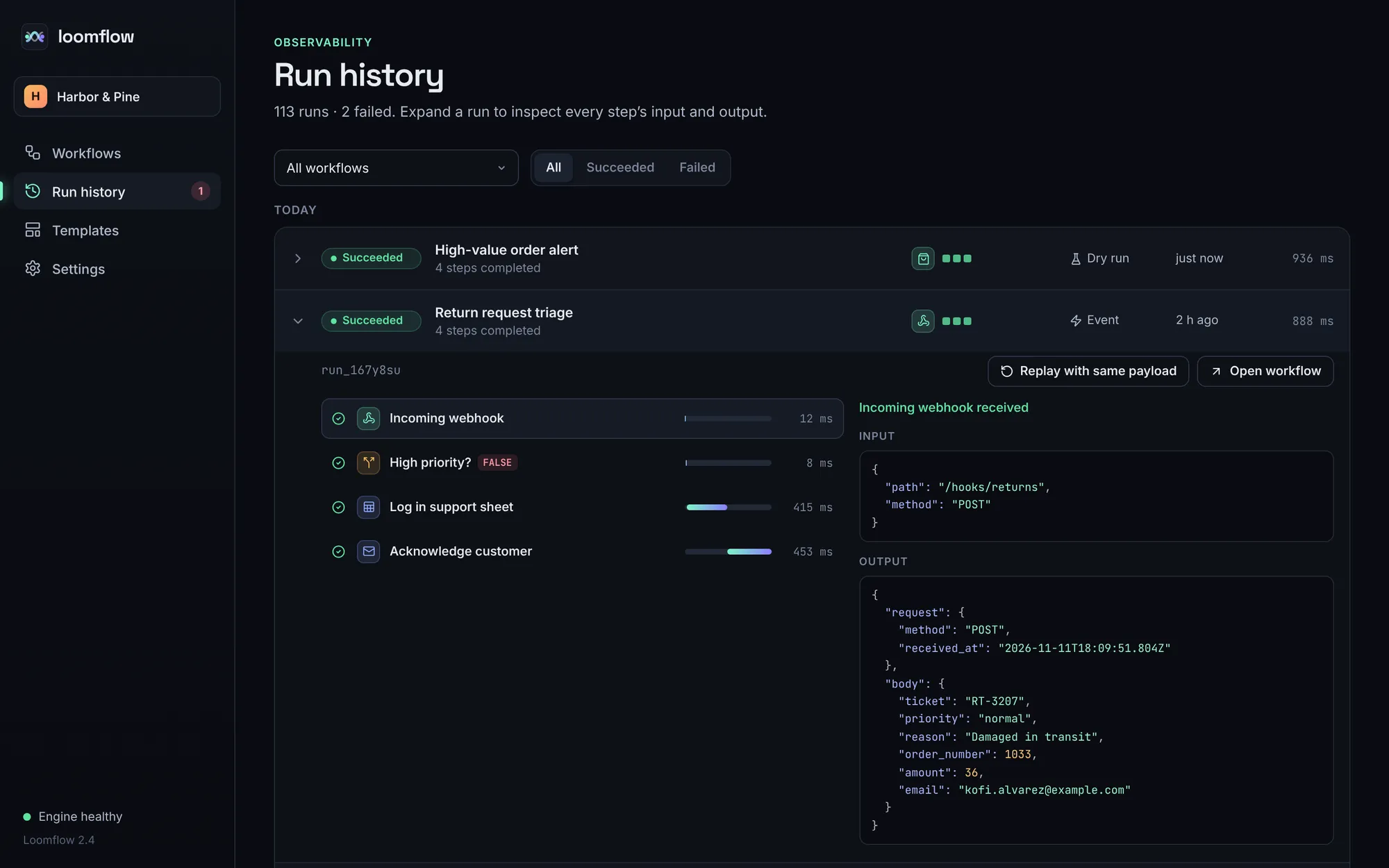
A run glows along the path it took on the drawing, so a failed step is easy to spot, with the details written underneath.
Built from scratch to stay fast
We built our own drawing board, so it stays quick and every gesture feels right.
History with real problems in it
The run history was made by actually running the processes, so it includes the kind of failures that really happen, like an invoice that cannot be sent to a customer with no email.
What it does
Features, fully working
- 01
A drawing board that feels natural
Move, pinch and zoom, snap steps into line, see the whole map in a corner, select several steps at once, and connect them with lines that refuse to make a loop.
- 02
Test runs you can watch
Try a process with sample data before it goes live. Each step lights up in order, and the path not taken fades out.
- 03
Real values as you type
Drop details like the order total into any message or document, and see exactly how it will read while you write it.
- 04
Checks before activation
Missing triggers, unconnected steps and empty required fields are listed, and a workflow cannot go live until they are fixed.
- 05
Run history
Every run is recorded step by step, with how long each took and what went in and out, and can be run again in one click.
- 06
Templates
Six common processes, ready to adapt in minutes.
- 07
Undo, autosave and shortcuts
150 steps of undo, autosave, and keyboard shortcuts for everything from duplicate to fit view.
The look
A dark, technical canvas where colour means role: mint for triggers, periwinkle for actions, amber for logic, used the same way in nodes, badges, the minimap and template thumbnails. Monospace is reserved for data, so it is always clear what is configuration and what is runtime.
#0A0C11#161B25#7CF5C8#8FA8FF#F5B85CSpace Grotesk for headings, Inter for the interface and JetBrains Mono for variables, payloads and timings.
→ Where it could go next
- Processes that run around the clock, retry when something fails and alert you
- Secure sign-in to your real email, accounting, spreadsheet and chat tools
- Team permissions, and a safe way to roll back a change
- An AI step that drafts replies and classifies incoming requests
Try Loomflow yourself
It is a real, working product, running right here. Click around, and anything you change is saved in your browser.
Open full screen ↗