Learning platform
Lumen
An online academy where every lesson has something to touch, from catalogue to certificate.
- Type
- Learning platform
- Platform
- Web app, responsive, instructor studio
- What we did
- Product design, Learning design, Web app development, Content & copy
- Origin
- In-house product
- Year
- 2026
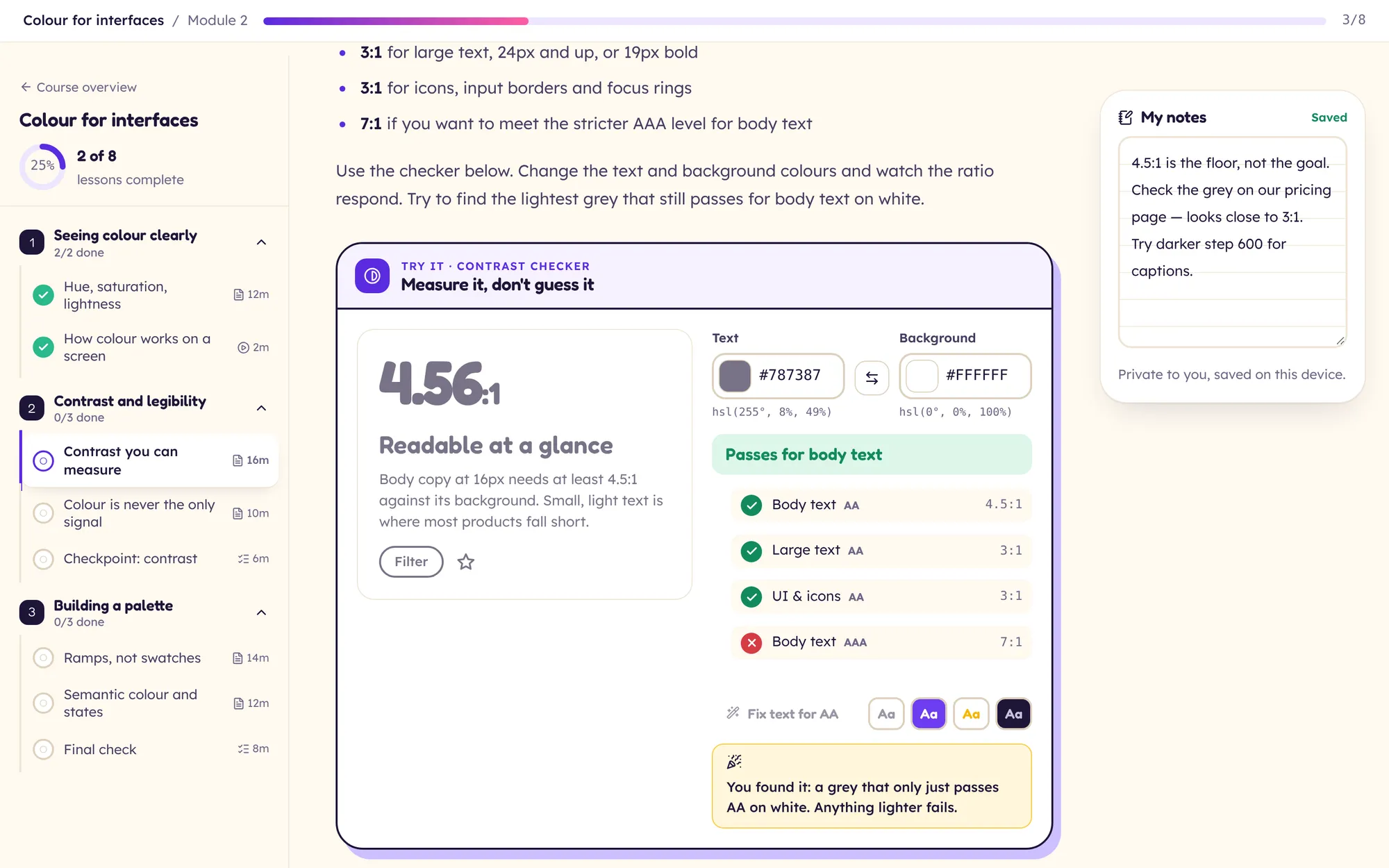
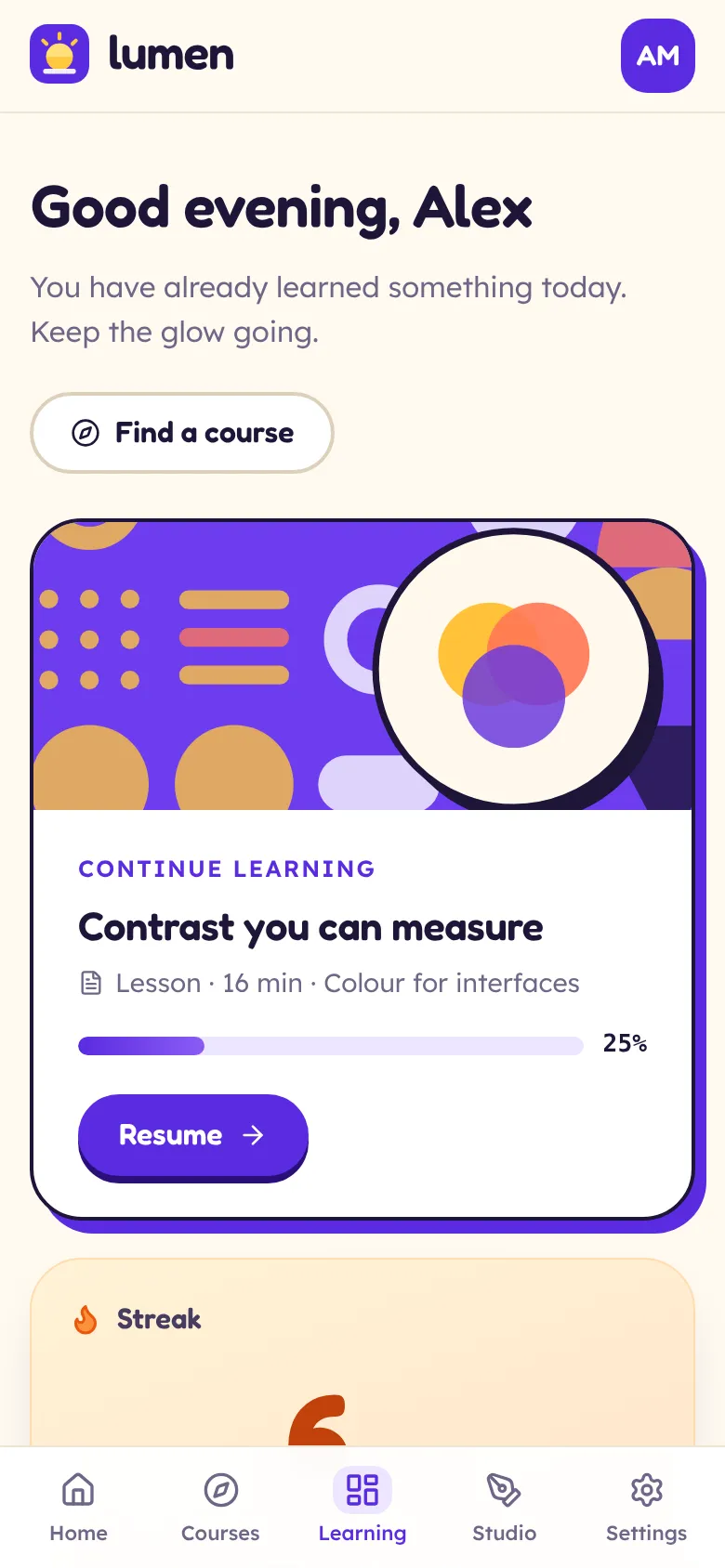
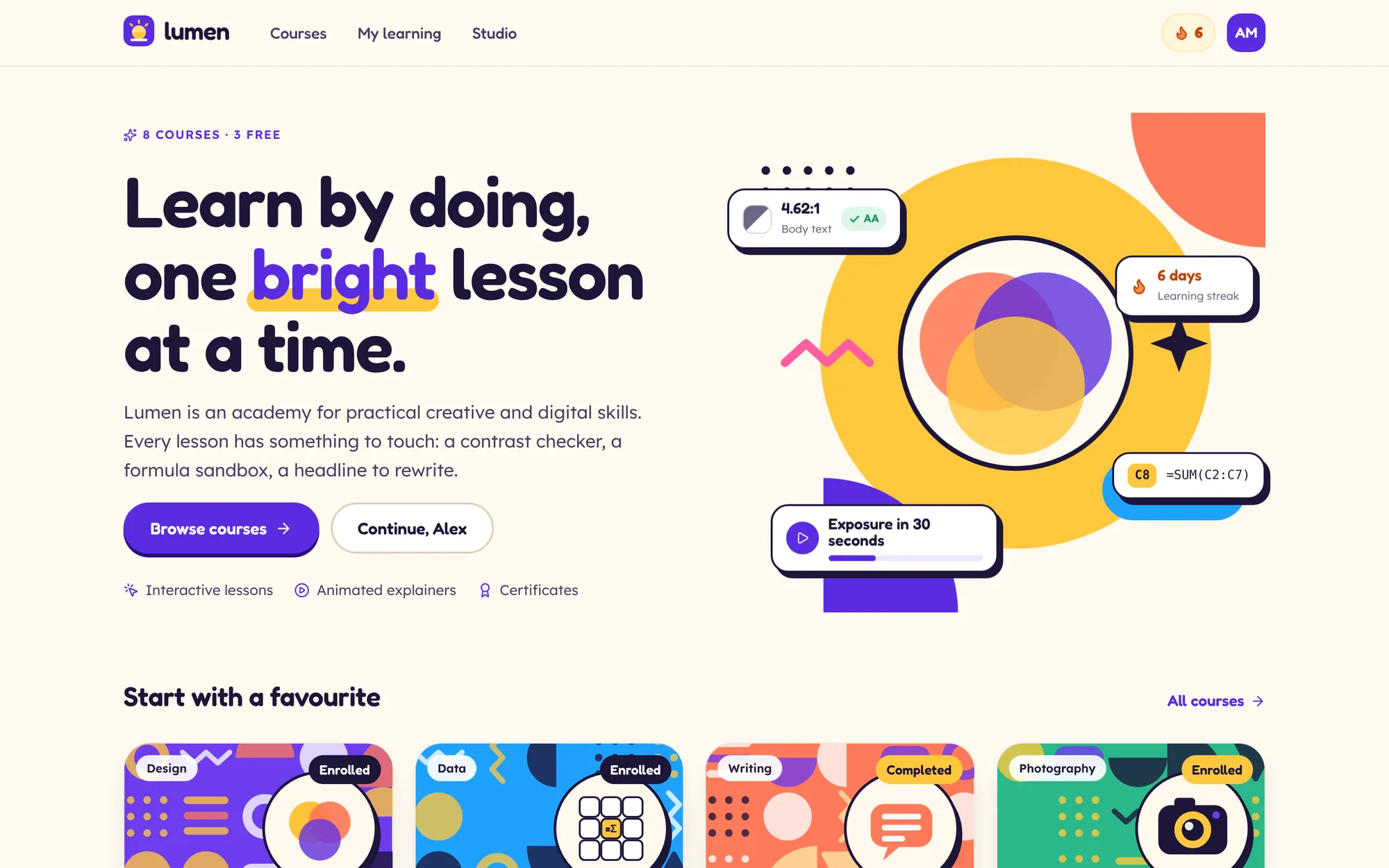
Lumen is a learning platform for practical creative and digital skills. Every lesson has something you can touch: a contrast checker that fixes your colours, a working spreadsheet, a headline that grades itself as you rewrite it. Behind it sits a studio where instructors build courses and read how they perform.
01 The brief
We set ourselves the brief of a complete learning product, from catalogue to certificate, that teaches without a single video file. It had to feel bright and friendly rather than corporate, work as well on a phone as on a laptop, and include the side most course sites hide: real editing tools and analytics for the people who teach.
02 Our approach
We wrote the courses first: eight of them, 48 lessons and 16 quizzes, so the product was shaped by real teaching rather than placeholders. Wherever a lesson explained something you could try, we built a widget for it. Animated explainers took the place of video, with the controls people expect from a player.
03 Key decisions
Learn by doing
Interactive widgets teach the skill directly and can be changed in minutes when the content needs it.
Friendly and grown-up
Rounded type, chunky offset shadows and bright covers make it approachable, while Lexend keeps long lessons easy to read.
Generated course covers
Each course gets a Bauhaus-style cover built from its palette and a subject sticker, so a new course looks finished the moment it is created.
Works without a mouse
The spreadsheet grid, ordering questions, the draggable viewfinder, the pixel grid and the explainer player all work without a mouse.
What it does
Features, fully working
- 01
Lessons you can touch
Ten interactive widgets, including a colour contrast checker that fixes itself, a spreadsheet with working formulas, a headline scorer with a search preview and a rule-of-thirds viewfinder.
- 02
Animated explainers
Animated explainers with play and pause, a scrub bar with chapters, captions, speed control, a transcript and keyboard shortcuts.
- 03
Quizzes with four question types
Multiple choice, multi-select, ordering by drag or keyboard, and short answer, with an explanation for every answer, a pass mark and reshuffled retries.
- 04
A dashboard that keeps you going
Continue learning, a streak with a week strip, an adjustable weekly goal ring and a 12-week activity heatmap.
- 05
Certificates worth keeping
With your name on it, ready to download, share or print. Change your name in settings and the certificate follows.
- 06
Enrol by transfer or invoice
Free courses enrol in one step. Paid courses end with bank transfer or “Invoice my company”, with company, VAT and PO fields and an order number.
- 07
An instructor studio
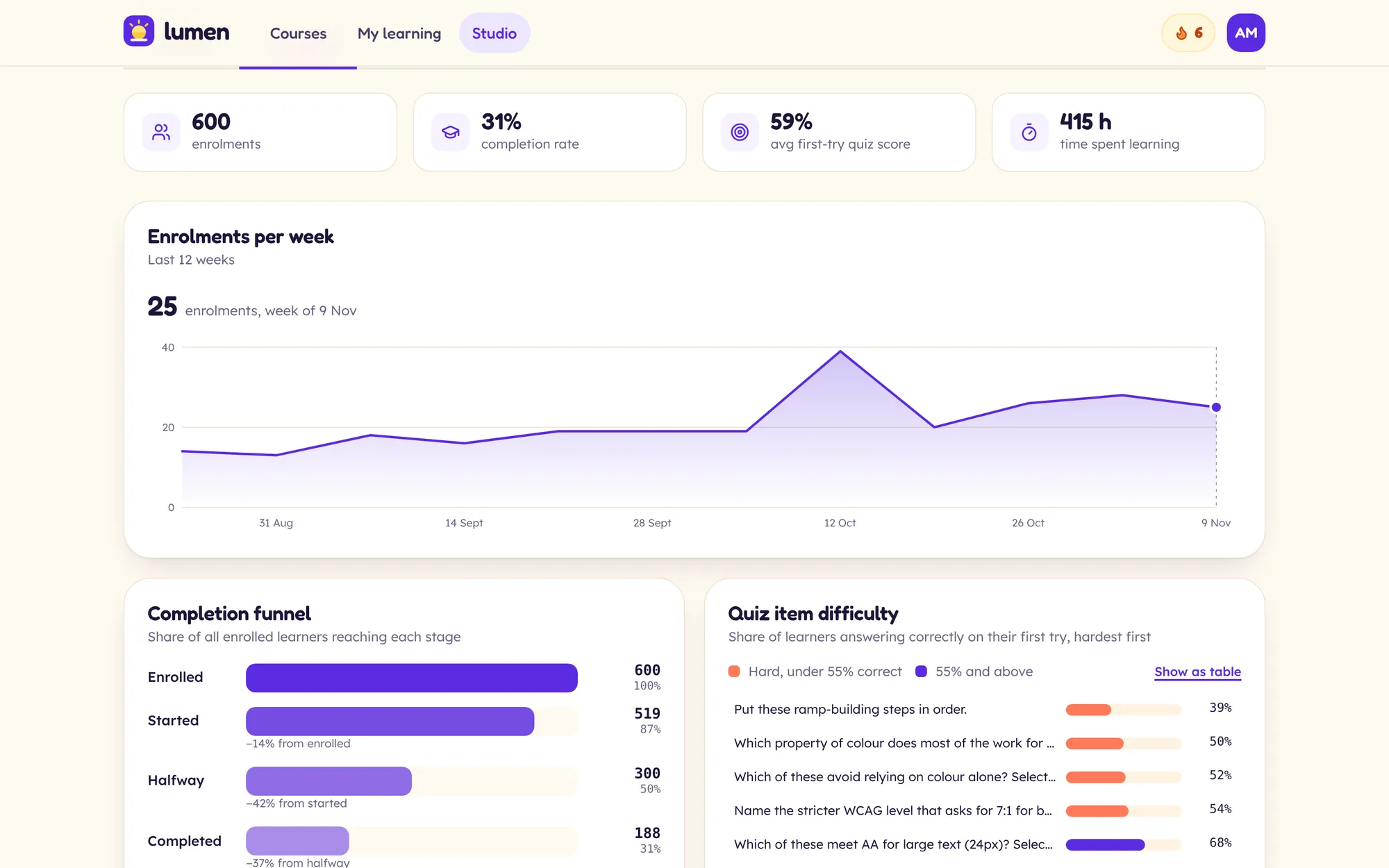
Create a course, reorder modules and lessons by drag and drop, edit lessons with a preview, publish or unpublish, and read enrolments, a completion funnel and quiz difficulty.
The look
Warm off-white paper, a rich violet for action and progress and a sunny yellow for celebration, with coral, mint, sky and pink as course accents. Springy hovers, popping checks and confetti on enrolment, all off under reduced motion.
#5B2BE0#FFC83D#FFF9F0#FF7A59#1D1534Fredoka for display, for its rounded friendliness. Lexend for lesson text, designed for reading ease.
→ Where it could go next
- Learner accounts, with progress on every device
- Card payments and team licences
- An editor for building new hands-on lessons
- Cohorts with live sessions and discussion
Try Lumen yourself
It is a real, working product, running right here. Click around, and anything you change is saved in your browser.
Open full screen ↗