Fitness app
Stride
A strength and running coach that plans the block, then coaches every set and interval.
- Type
- Fitness app
- Platform
- Phone app, installed from the browser
- What we did
- Product strategy, App design, Training plans, Building the app
- Origin
- In-house product
- Year
- 2026
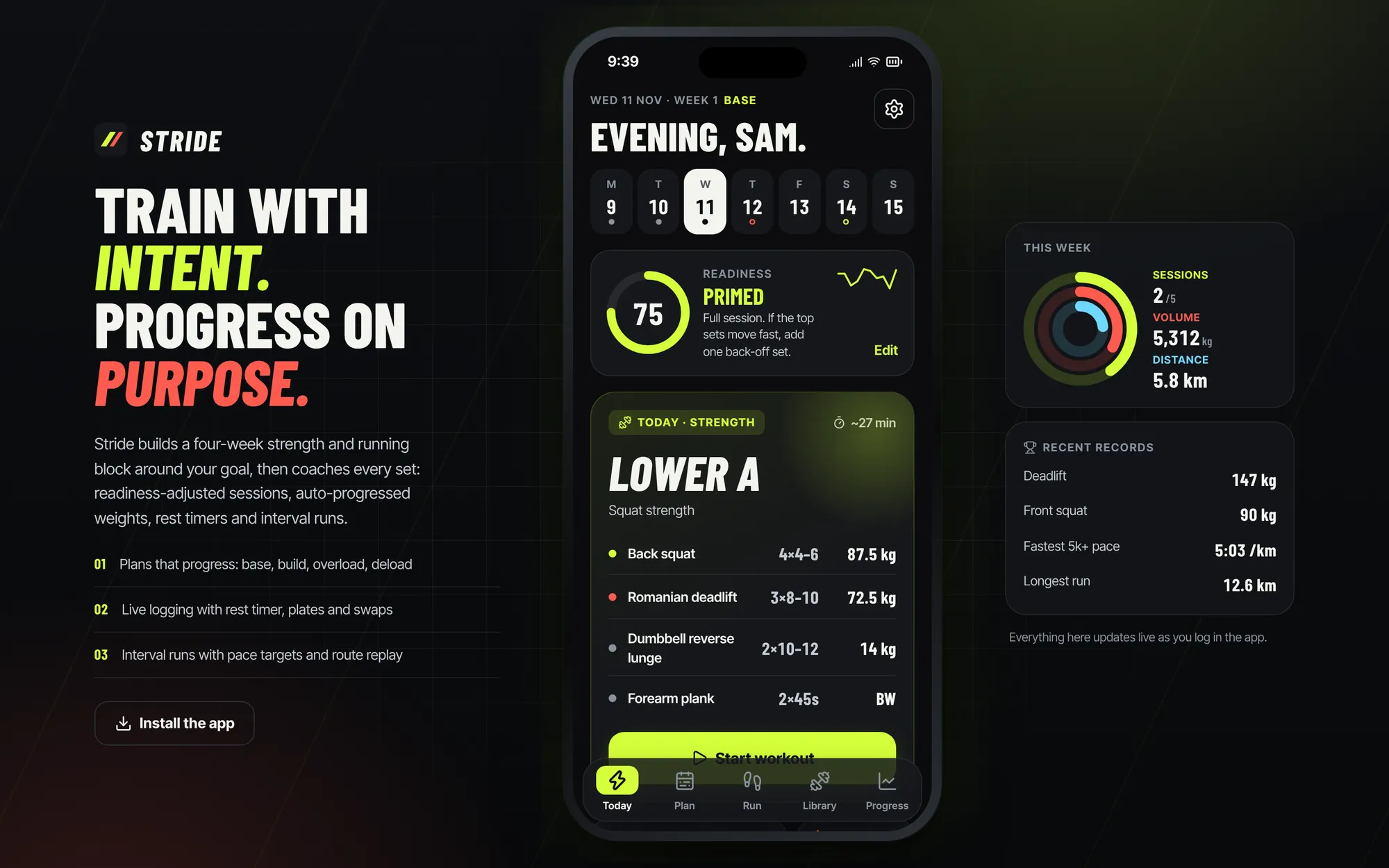
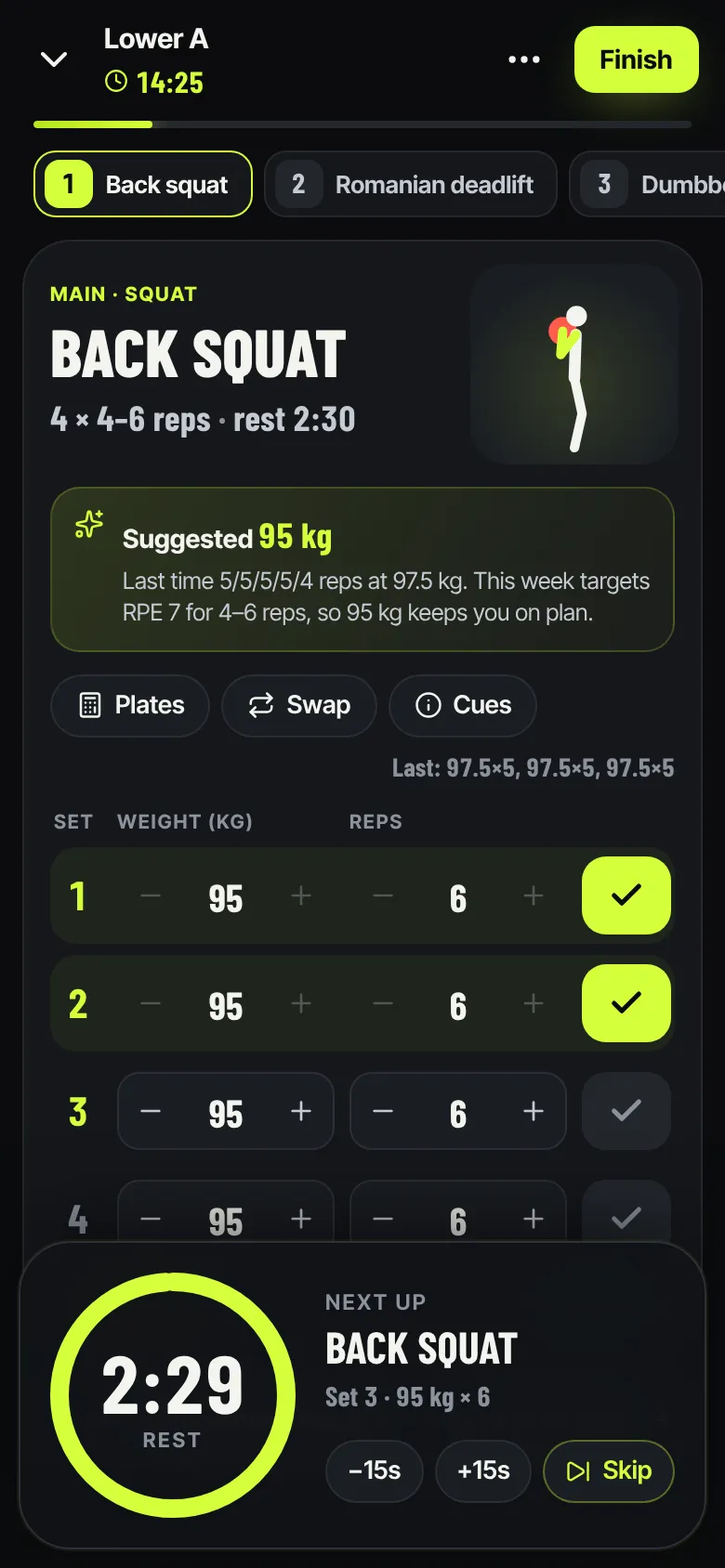
Stride is a training app for people who lift and run. Four questions turn into a four-week block with real progression, a quick daily check-in adjusts the session, and the live workout mode coaches every set, rest and interval with numbers you can read from arm’s length.
01 The brief
Most training apps are either a lifting log or a running tracker, so people who do both juggle two apps that never talk about fatigue. We set ourselves the brief of one mobile-first coach that plans both, explains its own logic, reacts to how you feel today and is fast enough to use between sets with sweaty hands.
02 Our approach
We wrote the training logic before the screens: estimated maxes from recent lifts, a base, build, overload and deload cycle, double progression for weights and run paces from a 5 km estimate. Then we designed the live modes around one rule: the number that matters right now is the biggest thing on the screen.
03 Key decisions
Timers that never lose your place
Rest and run timers keep the right time even if you lock your phone or close the app mid-set.
Honest about GPS
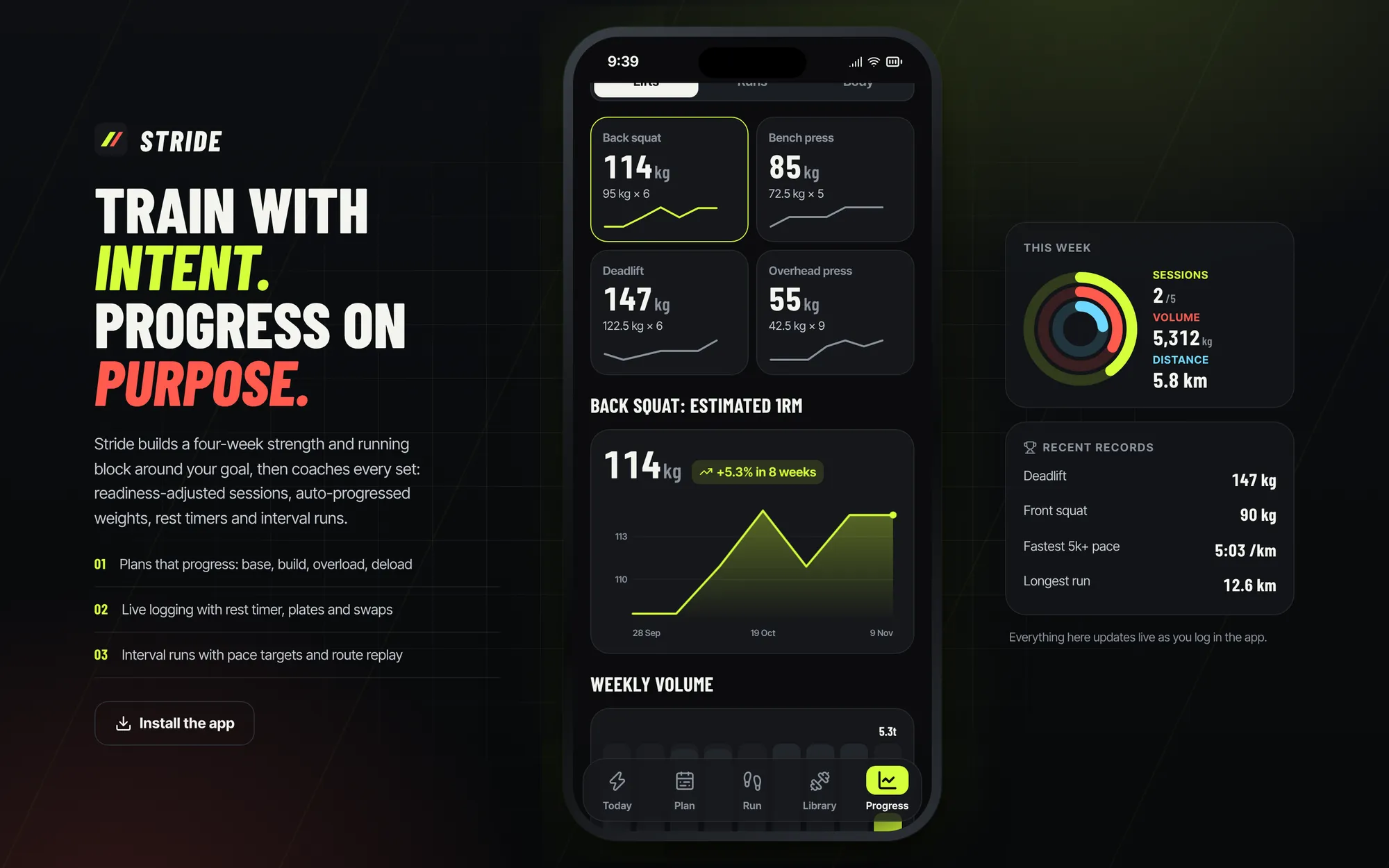
An app opened in the browser cannot track runs reliably in the background. Instead of pretending, Stride logs runs and replays them along a saved route, and says so on screen.
Three colours, three meanings
Volt for lifting and “go”, coral for running and effort, ice blue for recovery and body. You know which part of the app you are in before you read a word.
Feedback you can feel
Checkmarks thump, buttons compress and rings draw in, because the app is used mid-effort and feedback has to be felt. All of it respects reduced motion.
What it does
Features, fully working
- 01
A plan that explains itself
Goal, experience, days per week and equipment become a four-week block. Starting loads come from your recent lifts and every week’s change is spelled out in plain language.
- 02
Readiness that changes the session
Sleep, soreness and energy make a score from 0 to 100. Under-recovered days cut sets, loads or intervals, and the card shows planned versus adjusted volume.
- 03
Live workout mode
Weight and rep steppers, a done check per set, a suggested next weight with its reason, a rest ring with beeps and vibration, a plate calculator and swaps within the same movement.
- 04
Interval runs with a coach’s voice
Warm-up, work, recovery and cool-down with pace targets, a phase ring, a segment timeline and cues on every change. Finishing saves the run.
- 05
Route replay
Logged runs replay along their saved route as an animation paced by your real splits, with km markers, a scrubber and speed control. It says plainly that it is a replay, not GPS.
- 06
A library that moves
27 exercises drawn as figures that animate between start and end positions, with coaching cues, common mistakes, your best lift and a strength chart.
- 07
Progress worth opening
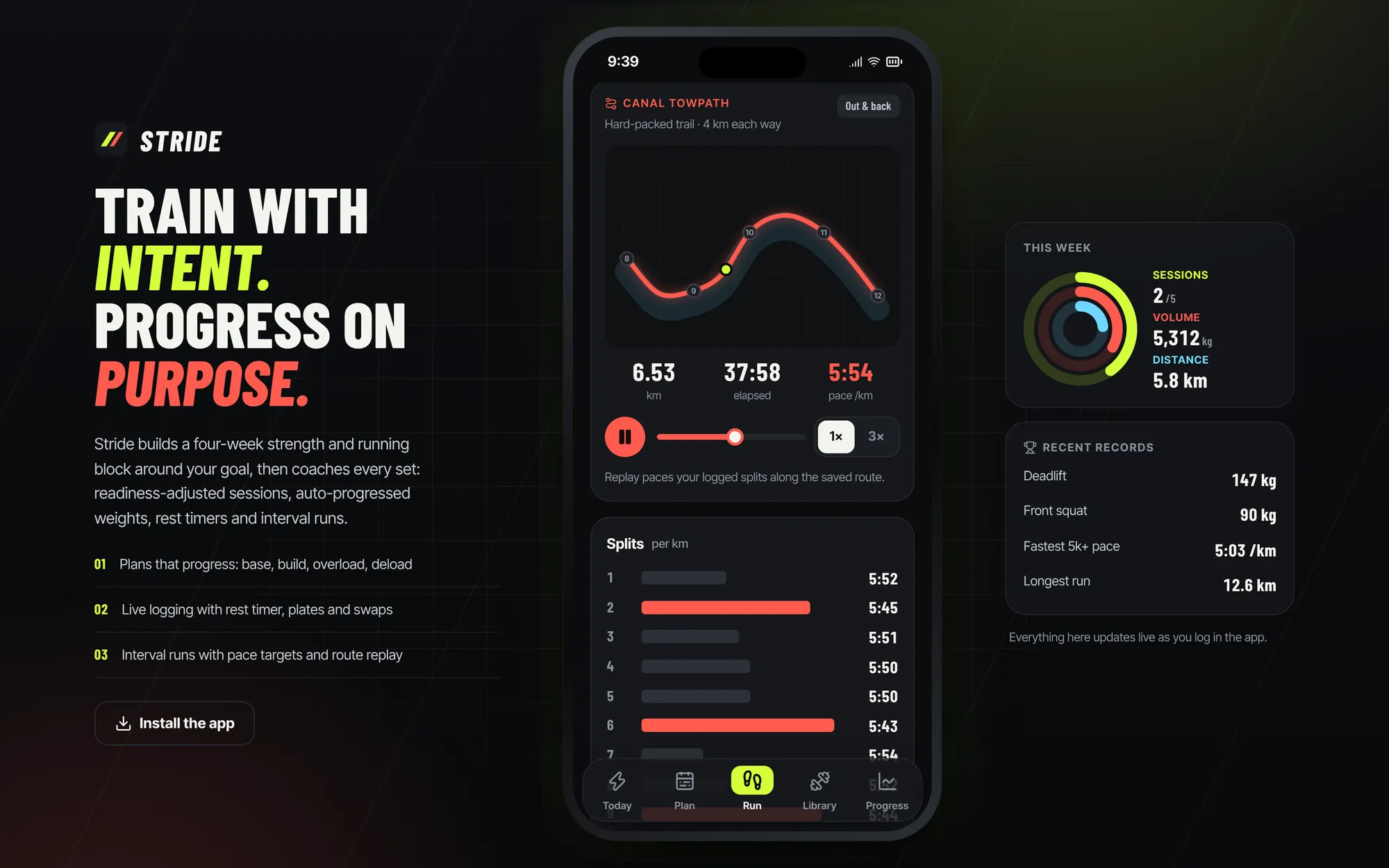
A training heat-map, records, estimated-max trends, weekly tonnage and distance, pace trends and body measurements.
The look
Deep graphite with condensed italic numbers that lean forward like the logo’s two bars. On desktop the app sits in a phone frame between a product panel and a live “This week” panel that updates as you log.
#141517#D7FF3A#FF6B57#7CD4FF#F4F5F0Barlow Condensed, italic and uppercase for numbers and headlines. Inter Tight for everything else.
→ Where it could go next
- App store versions that track runs and read health data
- Heart-rate straps for runs paced by effort
- Coach accounts that write and review plans for clients
- Your training on every device
Try Stride yourself
It is a real, working product, running right here. Click around, and anything you change is saved in your browser.
Open full screen ↗