Courier dispatch
Meridian
Dispatch and live tracking for a same-day courier team, shown on a city we drew.
- Type
- Courier dispatch
- Platform
- Control room, driver app, customer tracking page
- What we did
- Product design, Smart route planning, Building the app, Driver and customer pages
- Origin
- In-house product
- Year
- 2026
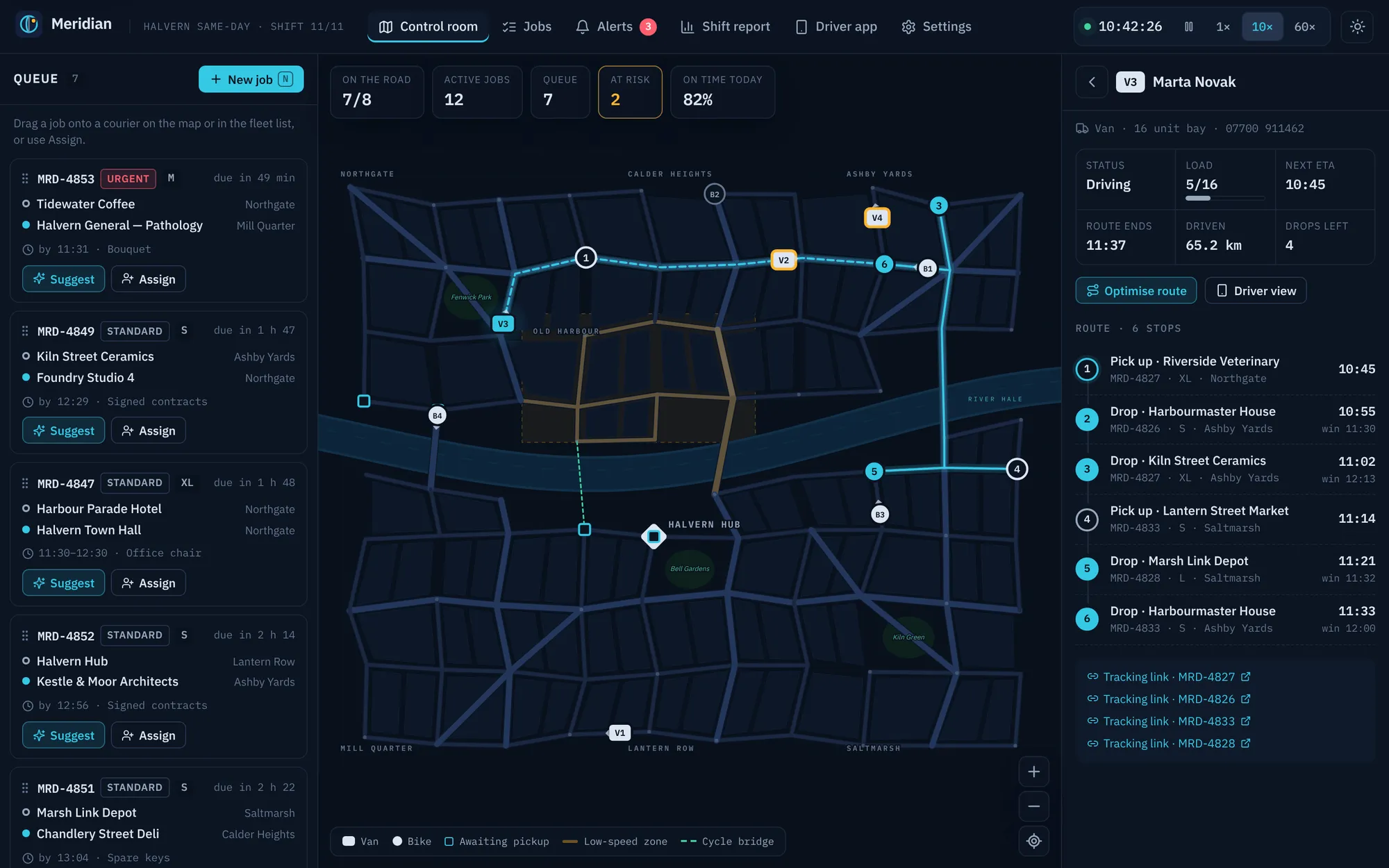
Meridian is the control room for a same-day courier company in Halvern, a fictional city we drew from scratch. Eight couriers drive real shortest paths on a live map, the system suggests who should take each job and why, routes are optimised, late deliveries are flagged early, and every customer gets a tracking link.
01 The brief
A courier business runs on a dispatcher’s judgement: who is closest, who has room, who will make the window. We set ourselves the brief of a control room that makes that judgement visible and quick to act on, plus the two other sides of the job: a phone app for the courier and a tracking page for the person waiting at the door.
02 Our approach
We built the city first: a map of 90 junctions, a river, four bridges (one for bikes only), avenues and a slow zone in the old town. Then a full shift plays out on that map, so every number on screen, from arrival times to the on-time rate, is worked out rather than made up. It behaves like a real courier day.
03 Key decisions
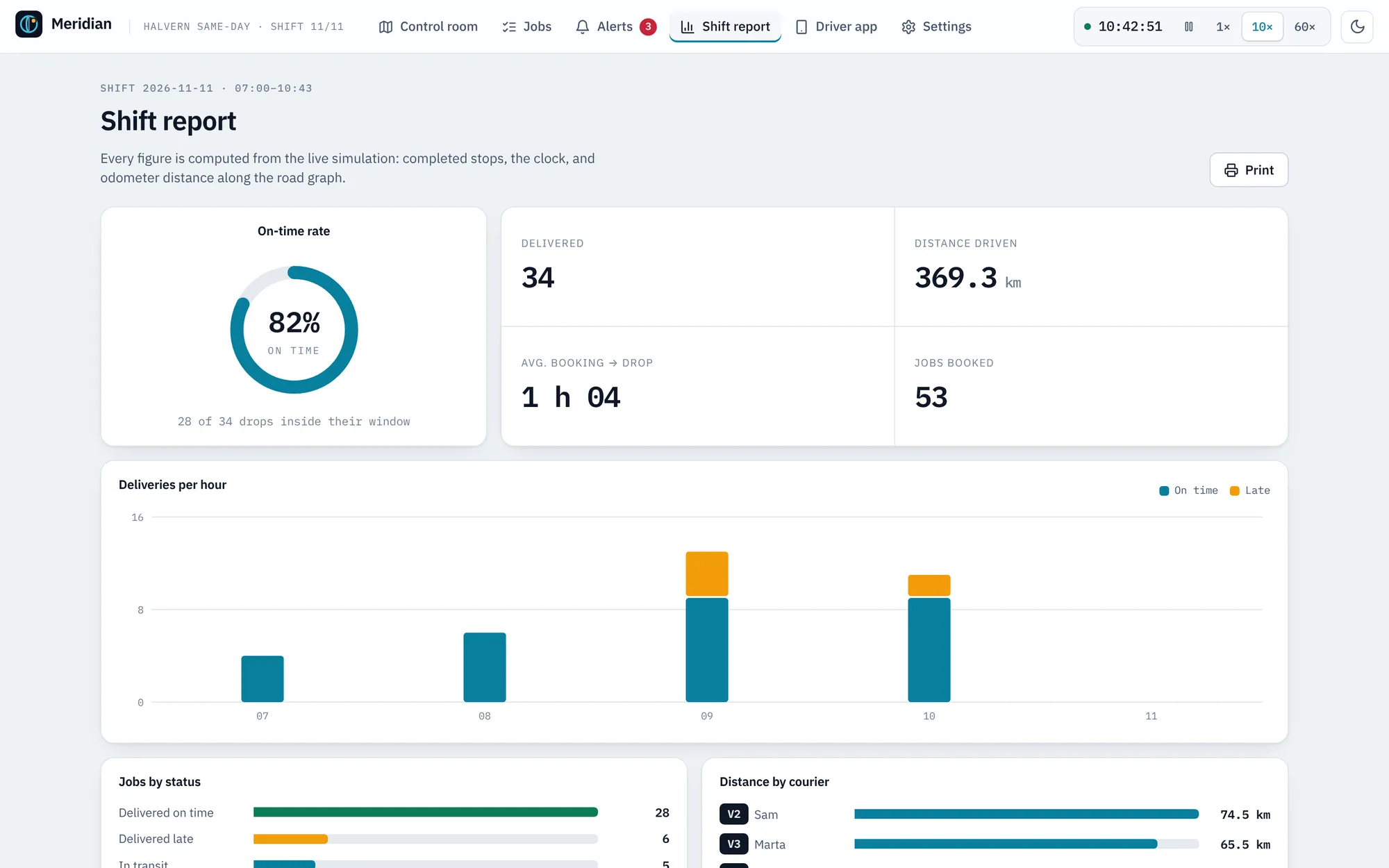
History from the live simulation
The morning’s history is the simulation itself run from 07:00, so distances, timings and the shift report all agree with each other and keep changing as you watch.
Colour only when it means something
The interface stays slate and navy. Cyan means selected and live, amber means risk, red means a missed window, and each comes with an icon or label.
Numbers that line up
Times, job numbers, distances and counts are set in an even-width typeface, so columns line up and read at a glance.
A keyboard path for every drag
Dragging is the fastest way for a dispatcher with a mouse, but nothing depends on it. Every assignment can be made from the keyboard or on a touch screen.
What it does
Features, fully working
- 01
A map you can watch
Vans and cargo bikes move along the roads on a shift clock you can run at 1×, 10× or 60×. Click a courier to see its route, numbered stops, arrival times, load and distance driven.
- 02
Suggestions that explain themselves
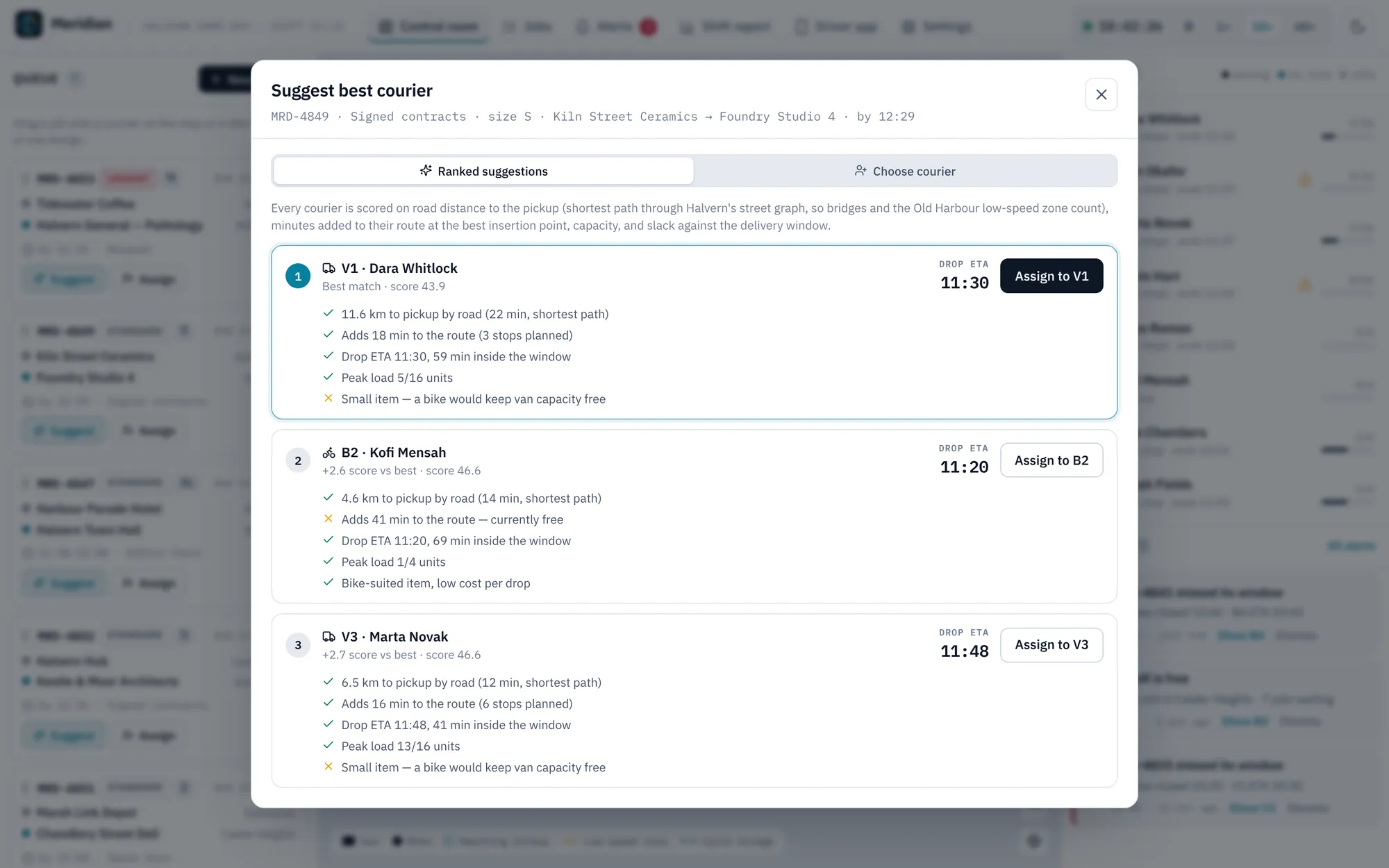
Suggest best courier scores every courier on road distance, minutes added at the best point in their route, capacity, bike size limits and slack in the window, and shows its reasons in plain words.
- 03
Assign three ways
Drag a job onto a courier on the map or in the fleet list, use the keyboard-friendly Assign dialog, or accept a suggestion.
- 04
Better routes in one click
It reorders each route to cut driving time, always collecting before delivering and never overloading a van. See before and after distance, minutes and late count before you apply it.
- 05
Late, before it is late
Every route is rechecked all the time. Amber when an arrival time drifts past its window, red when the window closes, and a note when a courier sits idle while jobs wait.
- 06
Tracking for the customer
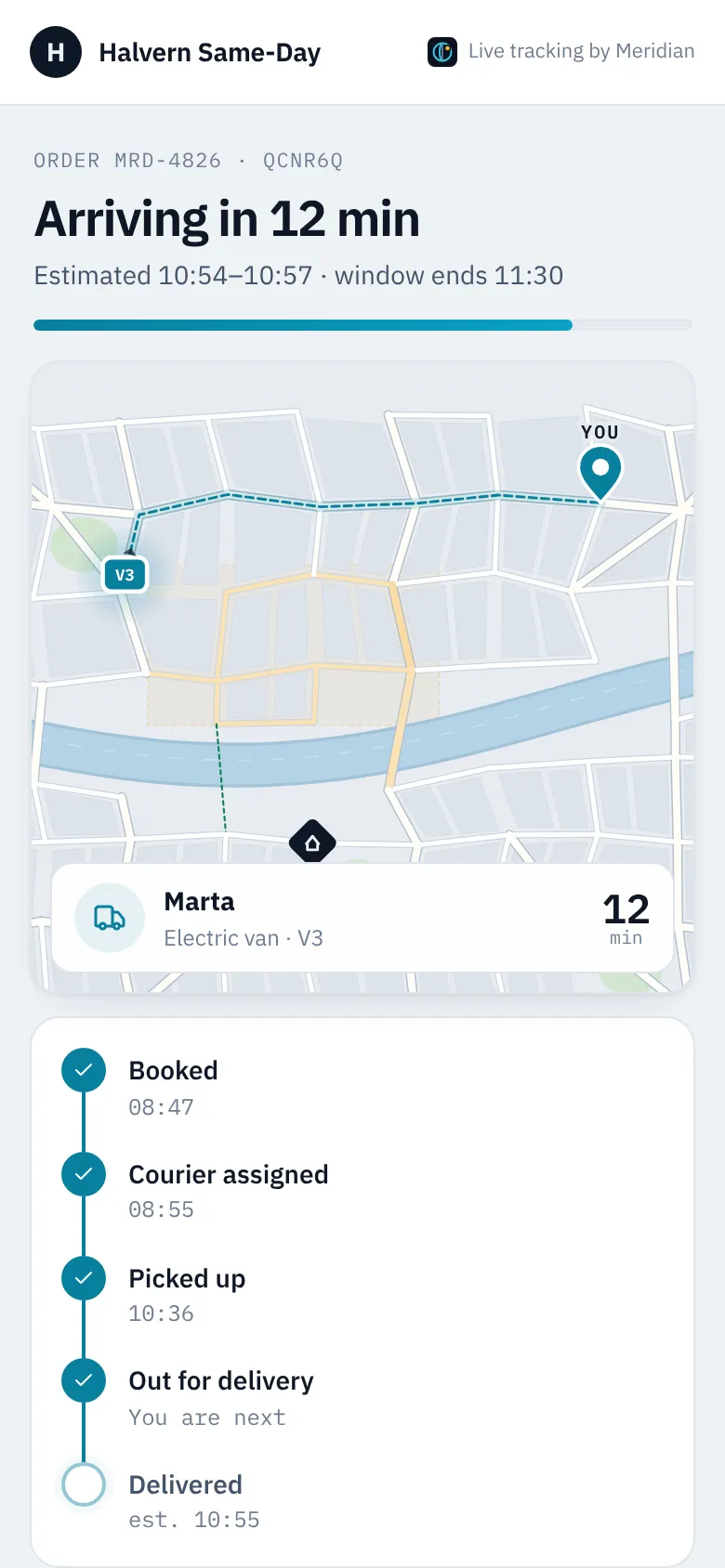
A phone-first page with only their courier and the route to their door, an arrival estimate, progress steps, a note for the driver and proof of delivery.
- 07
A driver app with a signature pad
Today’s stops, turn-by-turn directions, pickup confirmation, and delivery with a signature or a keyboard-friendly “left in a safe place”.
The look
A calm operations-room look with light and dark themes. The map is the same one the route planner uses, with parks, a slowly moving river, dashed cycle bridges and a tinted slow zone. On phones the map sits above Queue, Fleet and Alerts tabs.
#0E1726#1E293B#22D3EE#F59E0B#EF4444IBM Plex Sans for the interface and IBM Plex Mono for every time, ID, distance and count.
→ Where it could go next
- Live location from each driver’s phone
- Real street maps and traffic data from a mapping provider
- SMS and email notifications for customers
- Online booking and an account area for business customers
Try Meridian yourself
It is a real, working product, running right here. Click around, and anything you change is saved in your browser.
Open full screen ↗